差分スキャン(Delta Scan)
前回スキャンとの変更を自動検出し、継続審査を支援します。Pro
概要
差分スキャンは、前回の分析結果と今回の分析結果を自動比較し、以下の変更を検出します。
- 追加された依存関係 — 新しく追加されたパッケージ
- 削除された依存関係 — 削除されたパッケージ
- 新規脆弱性 — 新たに検出された脆弱性
- 解消された脆弱性 — 修正されたバージョンへの更新等で解消された脆弱性
- ライセンス変更 — ライセンス分類が変化したパッケージ
- ポリシー判定変化 — 全体のポリシー判定が変わった場合
- AI Governance 差分 — AI コンポーネントの追加・削除・変更(v2.0)
使い方
- Pro ライセンスが有効であることを確認します。
- 通常どおりスキャンを実行します。
- 初回スキャン時はスナップショットが保存され、「初回スキャンです」と表示されます。
- 2 回目以降のスキャンで、前回との差分が自動的に表示されます。
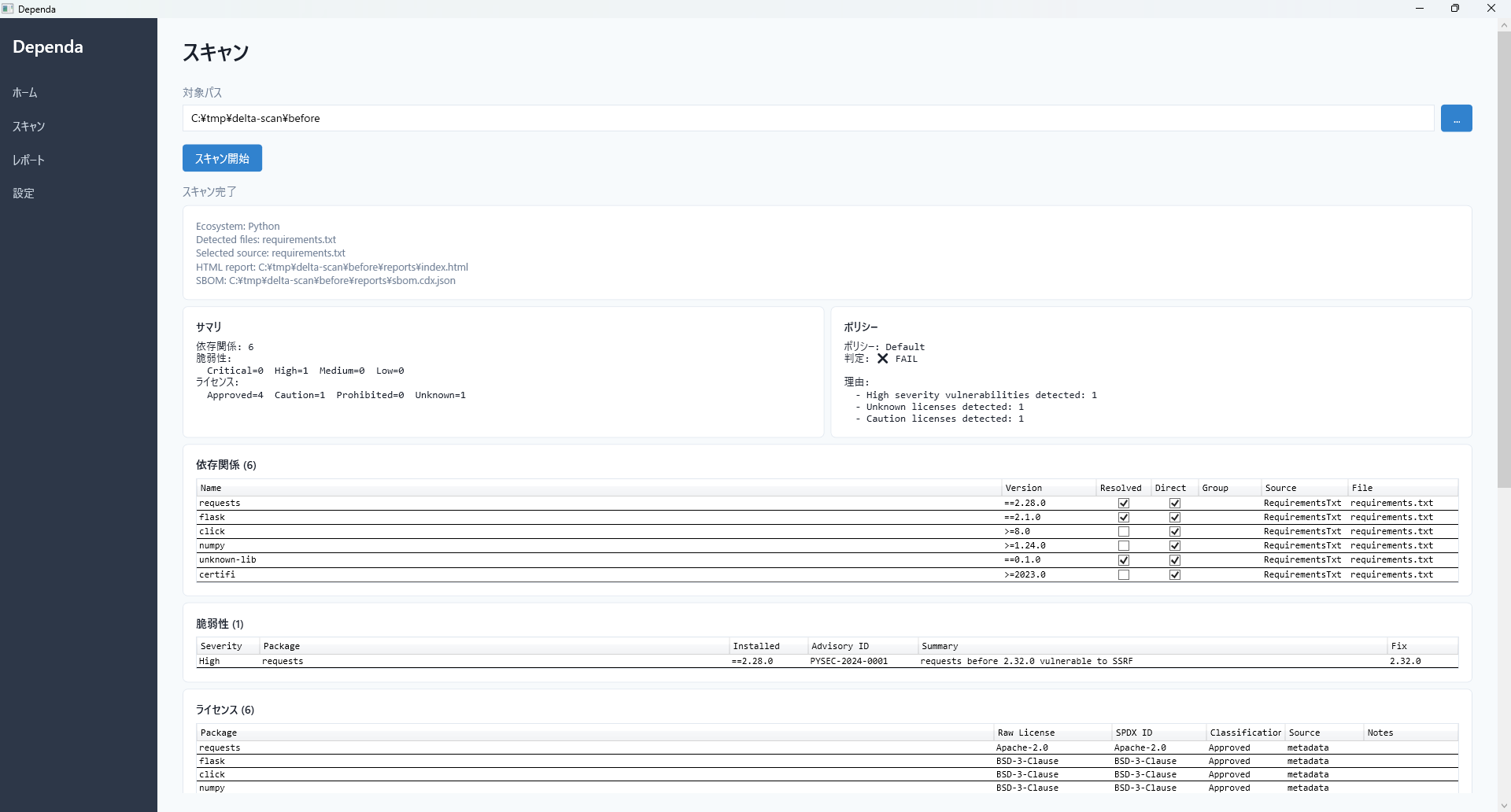
分析結果画面 — 差分スキャンは前回のこの結果と比較して変化を検出します
差分詳細
変更が検出された場合、差分詳細テーブルに以下が表示されます。
- 変更種別 — Added / Removed / VulnerabilityNew / VulnerabilityResolved / LicenseChanged / PolicyChanged / AiGovernanceChanged
- 種別 — エコシステム名(Python / Node.js)
- 名前 — パッケージ名
- バージョン — 対象バージョン
- 詳細 — 脆弱性の重要度や Advisory ID、ライセンス変更の前後、AI コンポーネントの変更内容など
マルチエコシステム対応
差分比較はエコシステムごとに独立して行われます。Python パッケージと npm パッケージが同名でも、異なるエコシステムとして正しく追跡されます。
HTML レポート・CSV
差分結果は HTML レポートと差分専用 CSV(oss-delta.csv)にも出力されます。
Delta Scan
Automatically detect changes from your previous scan for continuous review. Pro
Overview
Delta Scan compares your current analysis results with the previous scan and detects the following changes:
- Added dependencies — newly added packages
- Removed dependencies — packages that were removed
- New vulnerabilities — newly detected vulnerabilities
- Resolved vulnerabilities — vulnerabilities fixed by version updates
- License changes — packages whose license classification changed
- Policy changes — changes in the overall policy evaluation
- AI Governance delta — AI component additions, removals, or changes (v2.0)
How to Use
- Ensure your Pro license is active.
- Run a scan as usual.
- The first scan saves a snapshot and shows "First scan".
- Subsequent scans automatically display differences from the previous scan.
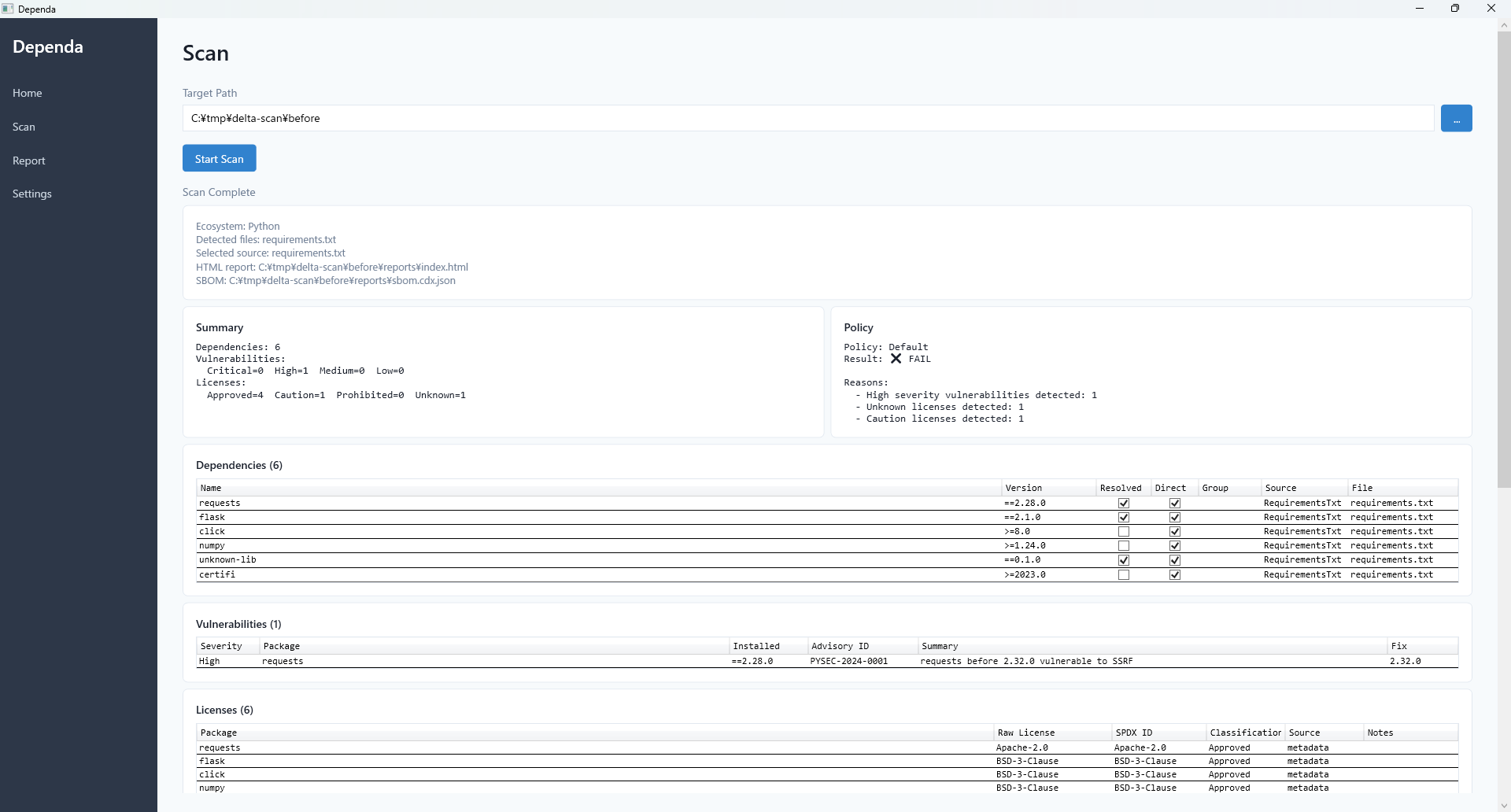
Analysis results screen — Delta Scan compares against these previous results to detect changes
Delta Details
When changes are detected, the Delta Details table shows:
- Change Type — Added / Removed / VulnerabilityNew / VulnerabilityResolved / LicenseChanged / PolicyChanged / AiGovernanceChanged
- Ecosystem — Python / Node.js
- Package Name
- Version
- Details — Severity, Advisory ID, license change details, AI component change details
Multi-Ecosystem Support
Delta comparison is performed independently per ecosystem. Same-named packages in Python and npm are tracked separately.
HTML Report & CSV
Delta results are also included in the HTML report and a dedicated CSV file (oss-delta.csv).