ポリシー設定と判定記録
組織のルールに基づいて OSS 利用を審査する(v2.0)
概要
Dependa のポリシー機能は、OSS の検出結果に対して「組織としてどう判断するか」を設定し、その判定理由を記録・共有するための仕組みです。
単なる検出ではなく、なぜその判定になったかを説明できるレポートを生成します。v2.0 ではポリシーアクションの用語が更新されました。
ポリシー設定(Policy Builder)
左メニューの「ポリシー」から設定画面を開きます。
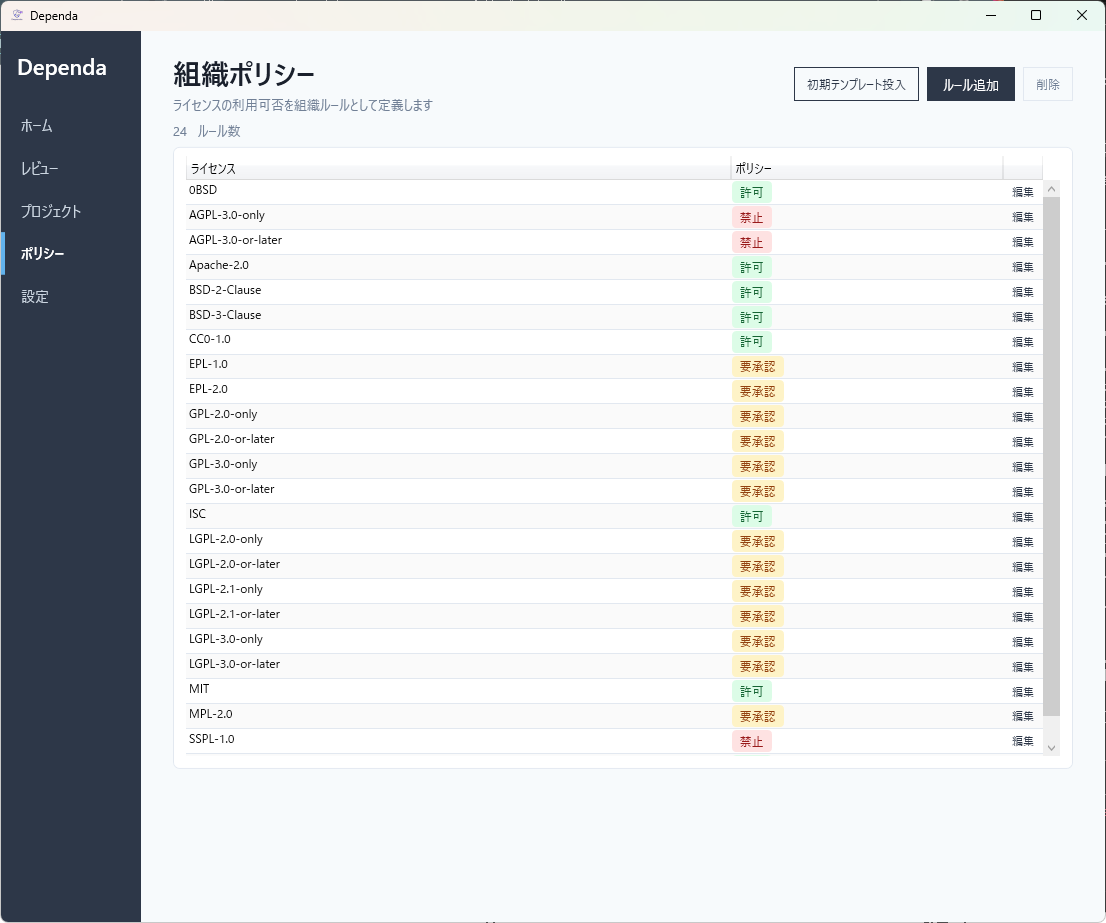
ステップ 1: テンプレートを選ぶ
「テンプレートを適用」をクリックすると、選択したテンプレートのルールがプレビューに反映されます。
| テンプレート | 説明 |
|---|---|
| Balanced(バランス型) | 一般的なリスクバランスを想定した初期設定。多くのプロジェクトに推奨 |
| Strict(厳格型) | コピーレフト・不明ライセンスを厳しく制限 |
| Permissive(柔軟型) | 許容範囲を広げた設定。社内ツール向け |
ステップ 2: ルールをカスタマイズ
各ルールのアクションを変更できます。
| ルールカテゴリ | 説明 |
|---|---|
| 強いコピーレフトライセンス | GPL / AGPL など。ソースコード公開義務がある |
| 弱いコピーレフトライセンス | LGPL / MPL など。ライブラリとして分離すれば利用可能な場合が多い |
| 不明なライセンス | ライセンスが特定できなかったパッケージ |
| Critical 脆弱性 | CVSS 9.0 以上の重大な脆弱性 |
| High 脆弱性 | CVSS 7.0~8.9 の既知の脆弱性 |
| 信頼度の低いライセンス判定 | 検出されたライセンス情報が不完全または不一致 |
| ライセンス情報の欠損 | ライセンスのメタデータが見つからなかったパッケージ |
各ルールに設定できるアクション(v2.0 用語):
| アクション | 意味 | 色 |
|---|---|---|
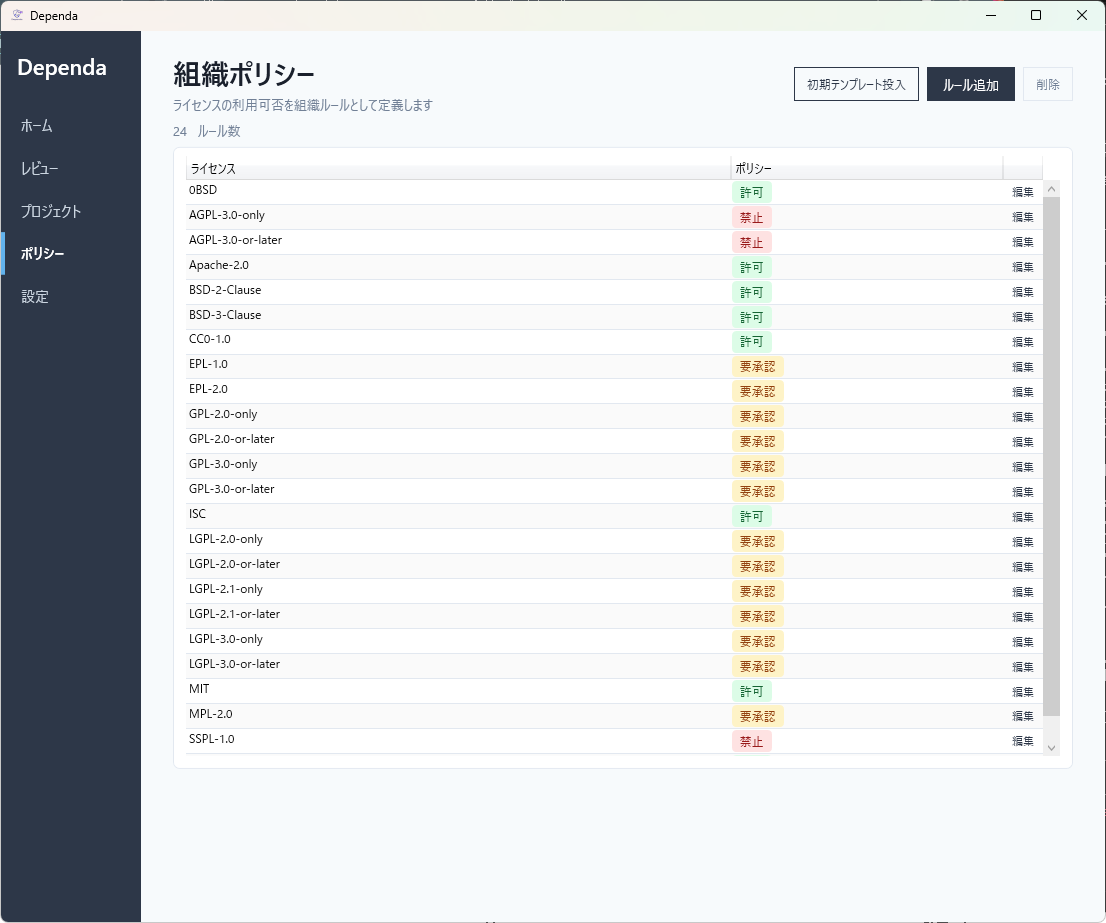
| 禁止(Prohibited) | 組織のポリシーで利用を禁止する | 赤 |
| 要承認(NeedApproval) | 利用前に承認が必要 | 橙 |
| 許可(Allowed) | 利用に問題なし | 緑 |
ステップ 3: 保存と既定設定
- 「ポリシー名」を入力して「保存」をクリック
- 「既定に設定」をクリックすると、次回以降のスキャンでこのポリシーが自動的に適用されます
ポリシーが1件だけ保存されている場合は、「既定に設定」をしなくても自動的にスキャン時に適用されます。
ポリシー判定記録
スキャンまたは SBOM インポートを実行すると、各パッケージに対してポリシー判定記録が自動生成されます。
判定記録の列
| 列 | 説明 |
|---|---|
| パッケージ | 対象パッケージ名 |
| リスク | リスクレベル(High Risk / Risk / Known-Normal) |
| レビュー結果 | レビュー担当者の判定結果 |
| ポリシー判定 | 組織ポリシーによる判定(許可 / 要承認 / 禁止 / 制限なし) |
| 理由 | 判定の根拠(RiskReason と RecommendedAction を含む) |
ポリシー判定列の読み方
| 表示 | 意味 |
|---|---|
| 禁止 | ポリシーで利用を禁止と設定されている |
| 要承認 | 利用前に承認が必要と設定されている |
| 許可 | 利用に問題なしと設定されている |
| —(制限なし) | ポリシーは適用されているが、このパッケージに該当するルールがない。特に制限なし |
| —(ポリシー未設定) | 組織ポリシーが設定されていない |
レビューステータスとの連携
v2.0 ではポリシー判定がレビューワークフロー(NotStarted → InReview → Completed → PendingApproval → Returned)と連携します。ポリシーで「要承認」となったパッケージは、レビュー完了後に承認ワークフロー(Pro)に進みます。
HTML レポートでの表示
分析結果から生成される HTML レポートにも判定記録が含まれます。
- 要約: 適用ポリシー名、アクション別件数バッジ(許可 / 要承認 / 禁止)
- 詳細テーブル: パッケージごとのリスク・判定・理由
このレポートはオフラインで閲覧でき、チームメンバーやレビュー担当者と共有できます。
Policy Settings & Judgments
Review OSS usage based on your organization's rules (v2.0)
Overview
Dependa's policy feature lets you define how your organization evaluates OSS dependencies, and records the judgment with its reasoning for review and sharing.
Move beyond detection — generate reports that explain why each decision was made. In v2.0, policy action terminology has been updated.
Policy Builder
Open the Policy Builder from the "Policy" menu on the left sidebar.
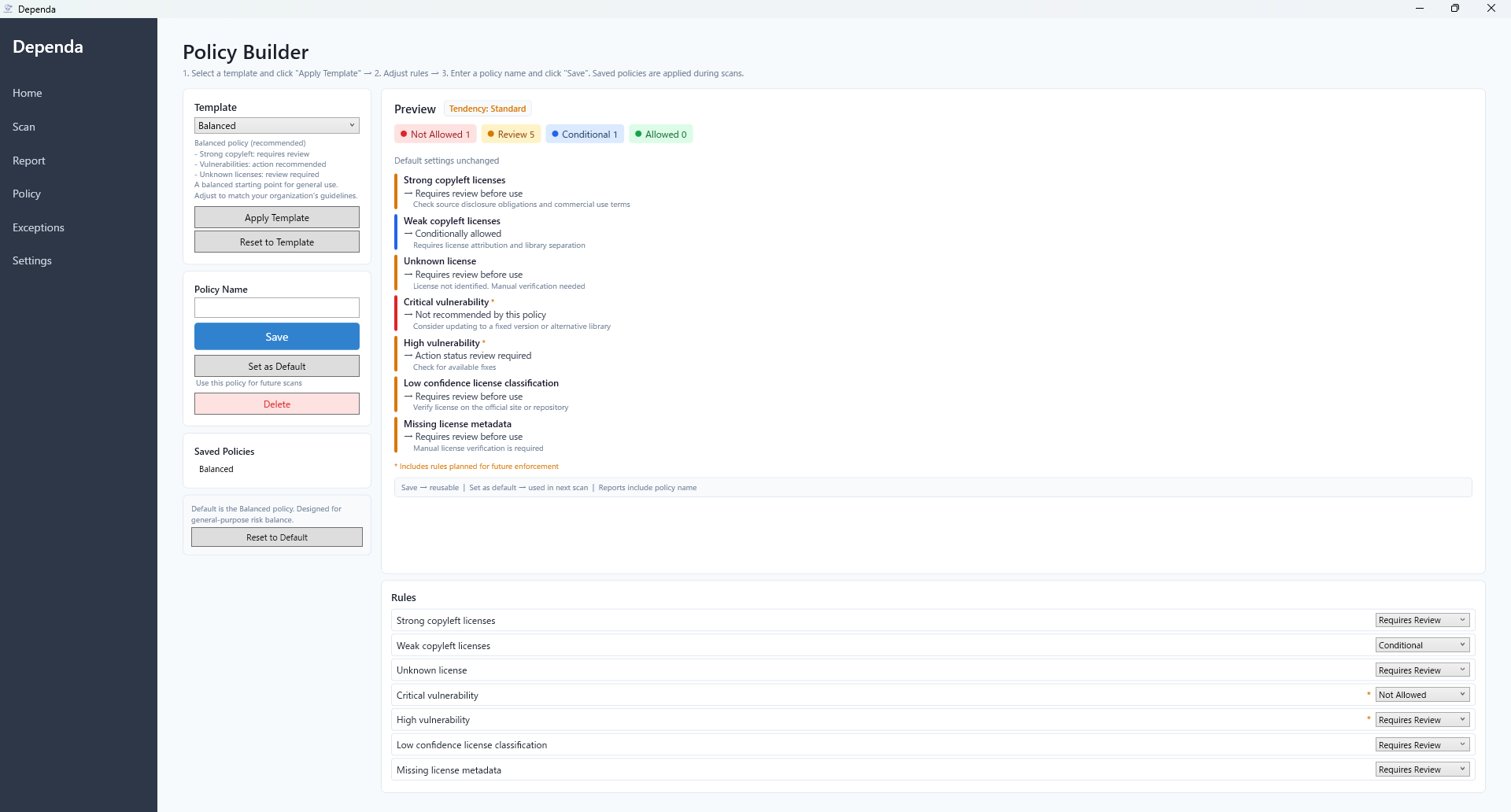
Step 1: Choose a Template
Click "Apply Template" to load a pre-configured rule set.
| Template | Description |
|---|---|
| Balanced | General-purpose risk balance. Recommended for most projects |
| Strict | Restrictive settings for copyleft and unknown licenses |
| Permissive | Relaxed settings, suitable for internal tools |
Step 2: Customize Rules
Adjust the action for each rule category.
| Rule Category | Description |
|---|---|
| Strong copyleft licenses | GPL / AGPL — source code disclosure obligations |
| Weak copyleft licenses | LGPL / MPL — often usable as a separate library |
| Unknown license | Packages where the license could not be identified |
| Critical vulnerability | CVSS 9.0+ known vulnerabilities |
| High vulnerability | CVSS 7.0-8.9 known vulnerabilities |
| Low confidence classification | License detection is incomplete or inconsistent |
| Missing license metadata | No license metadata found for the package |
Available actions for each rule (v2.0 terminology):
| Action | Meaning | Color |
|---|---|---|
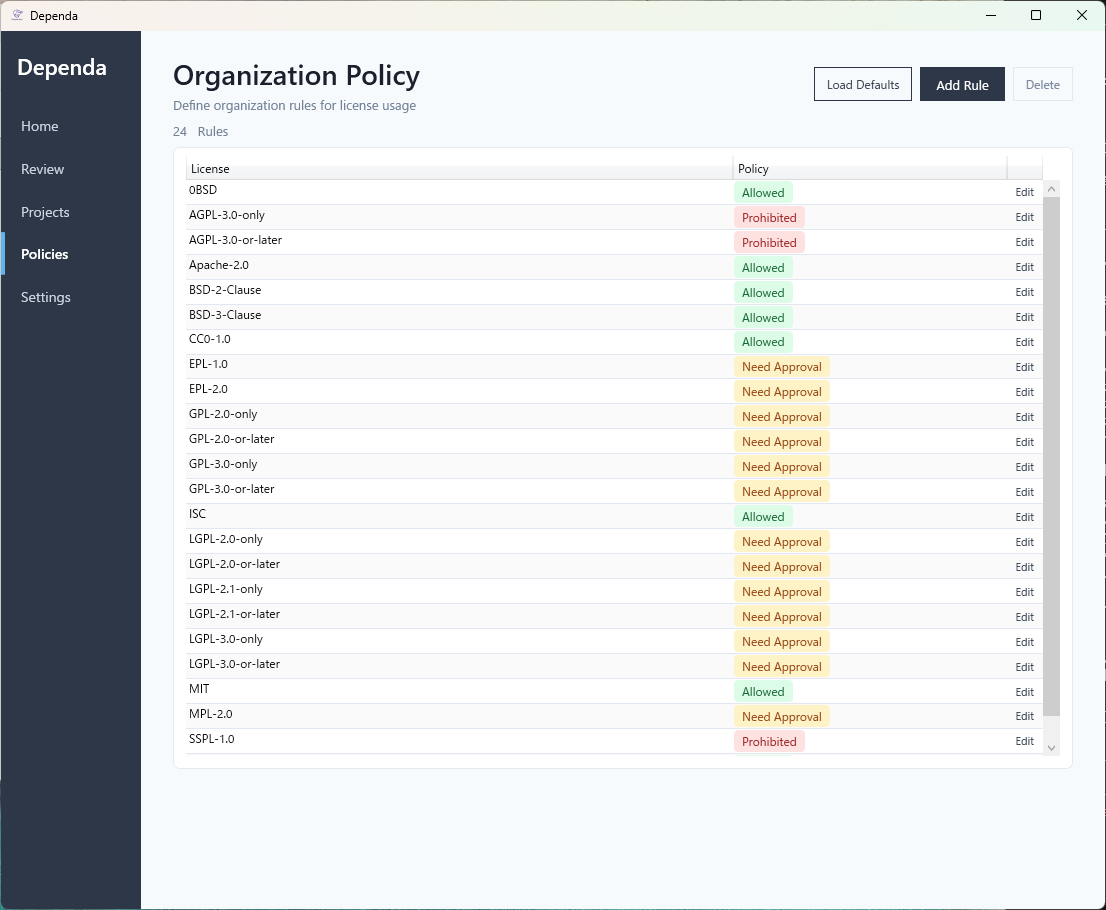
| Prohibited | Usage is prohibited by policy | Red |
| NeedApproval | Approval required before use | Orange |
| Allowed | No restrictions | Green |
Step 3: Save and Set as Default
- Enter a policy name and click "Save"
- Click "Set as Default" to apply this policy automatically in future scans
If only one policy is saved, it will be automatically applied even without clicking "Set as Default".
Policy Judgments
When a scan or SBOM import completes, policy judgment records are automatically generated for each package.
Judgment Record Columns
| Column | Description |
|---|---|
| Package | Package name |
| Risk | Risk level (High Risk / Risk / Known-Normal) |
| Review Result | Reviewer's assessment |
| Policy Action | Organization policy judgment (Allowed / NeedApproval / Prohibited / No restriction) |
| Reason | Why this judgment was made (includes RiskReason and RecommendedAction) |
Reading the Policy Action Column
| Display | Meaning |
|---|---|
| Prohibited | Usage is prohibited by the configured policy |
| NeedApproval | Approval required before use per policy configuration |
| Allowed | No restrictions per policy |
| -- (No restriction) | Policy is applied, but no matching rule for this package |
| -- (No policy) | No organization policy has been configured |
Integration with Review Workflow
In v2.0, policy judgments integrate with the review workflow (NotStarted -> InReview -> Completed -> PendingApproval -> Returned). Packages with "NeedApproval" policy proceed to the approval workflow (Pro) after review completion.
HTML Report
The HTML report generated from analysis results includes a policy judgment section.
- Summary: Applied policy name and action count badges (Allowed / NeedApproval / Prohibited)
- Detail table: Per-package risk, judgments, and reasons
Reports are self-contained HTML files that work offline and can be shared with team members and reviewers.