Chapter 5: レポートと SBOM
v2.0 レポート構成 — Executive Summary・Action Required・リスク分析
v2.0 HTML レポートの構成
スキャンまたは SBOM インポート後に生成される HTML レポートは、ブラウザで開けるスタンドアロンファイルです。v2.0 では以下のセクションで構成されています。
| セクション | 内容 |
|---|---|
| ヘッダ | プロジェクト名、スキャン日時、Dependa バージョン(v2.0)が表示されます。 |
| Executive Summary | レビュー統計(レビュー済み件数、リスク別件数)、依存ライブラリ数、脆弱性サマリ、ライセンス分類サマリをカード形式で表示します。 |
| Action Required | 対処が必要なアイテムの一覧です。High Risk / Risk に該当するパッケージとその推奨アクションが表示されます。 |
| リスク分析 | 各パッケージのリスク詳細です。RiskReason(リスクの理由)、RecommendedAction(推奨アクション)、Evidence(根拠)、Confidence(確信度)が含まれます。 |
| ポリシー判定 | 適用ポリシー名、アクション別件数(許可 / 要承認 / 禁止)が表示されます。 |
| 依存ライブラリ表 | 検出されたすべてのパッケージの名前、バージョン、エコシステム、ライセンス、リスクレベルの一覧です。 |
| 脆弱性表 | 検出された脆弱性の ID、影響パッケージ、CVSS スコア、重大度、説明の一覧です。 |
| ライセンス表 | 各パッケージのライセンス SPDX ID と分類(High Risk / Risk / Known-Normal / Unknown)の一覧です。 |
| AI セクション | AI Governance 分析の結果サマリ(AI BOM、Excessive Agency、Data Sovereignty)が含まれます。 |
| 免責事項(Disclaimer) | レポートの利用に関する免責事項が記載されます。 |
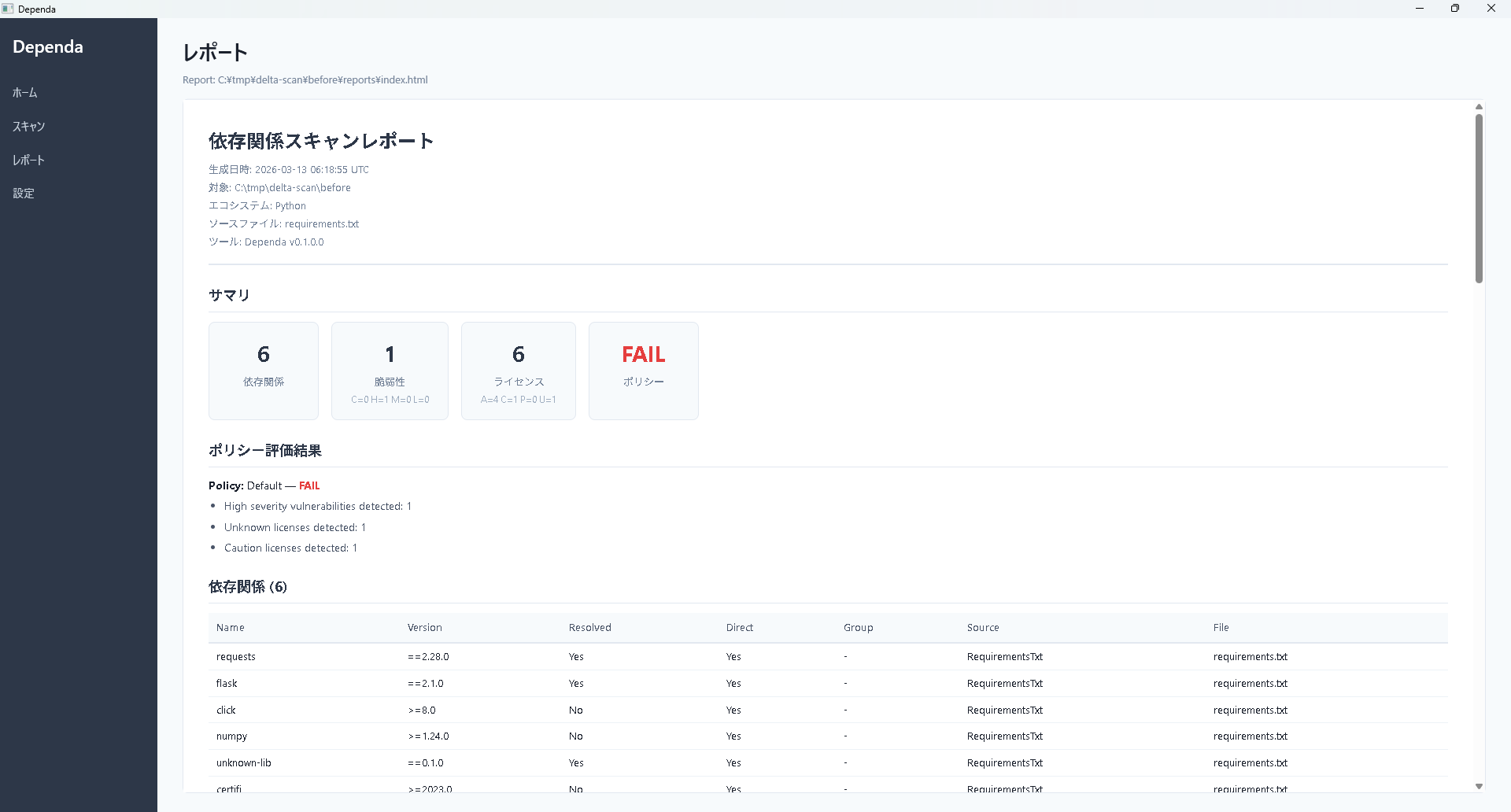
レビューレポートの説明力強化
SBOM レビュー HTML レポートでは「レビュー判断の根拠」を 6 層で構造化しています。v2.0.5.0 でも判定ロジックや Free / Pro 境界は変更ありません。説明と表示の補強のみです。
- 分類は最終判断ではない — ライセンステーブル直前に「分類はレビュー時の初期分類であり、最終的な利用可否判断ではありません」の注意書きを表示します。
- 「要確認」バッジ — 利用形態によって判断が分かれるライセンス(BUSL-1.1 / Elastic-2.0 / CC-BY-4.0 など)に控えめなバッジを表示します。
- 理由表示 — バッジの直下に「理由: 非 OSI 承認ライセンス」「理由: 商用ライセンス条件あり」のように具体的な理由を併記します。
- SPDX 複合式の内訳 —
MIT OR Apache-2.0のような式の構成要素を「内訳」として補助表示します。 - 公式ページへのリンク — CycloneDX 1.7 SBOM の
expressionDetailsに URL がある場合、内訳ライセンスを公式ページへの控えめなリンクとして表示します。 - 「宣言 / 確認済」ラベル — CycloneDX 1.6+ の
acknowledgementを読み取り、ライセンス情報の出所(SBOM 提供者の宣言か、解析ツールによる確認か)を区別表示します。
Pro レポート(フォルダスキャン後の HTML)でも、ライセンス分類の disclaimer・要確認バッジ・理由表示が反映されています。さらに「より詳細な内訳・出所・公式リンクは、SBOM ファイル(提供されている場合)を SBOM レビュー機能で読み込むことで確認できます」というガイドが末尾に表示されます。
スキャン結果レポートの保存
フォルダスキャン後の「スキャン結果レポート」ボタンをクリックすると、保存先を指定するダイアログが表示されます。デフォルトのファイル名は {年月日}-{プロジェクト名}-{jp または en}.html 形式で、複数プロジェクトを保存しても区別が容易です(例: 20260501-myproject-jp.html)。
Free 版と Pro 版のレポートの違い
| 項目 | Free | Pro |
|---|---|---|
| ウォーターマーク | 「Free Edition」の透かしあり | なし |
| Executive Summary | 基本情報のみ | レビュー統計付き |
| Action Required | ✓ | ✓ |
| リスク分析詳細 | 簡易版 | 完全版(Evidence / Confidence 含む) |
レポートの閲覧方法
- ブラウザで開く: 生成された HTML ファイルをダブルクリックするだけで、ブラウザに表示されます。インターネット接続は不要です。
- 印刷: ブラウザの印刷機能(Ctrl+P)を使って、紙に印刷したり PDF に変換したりできます。レポートは印刷用に最適化されたスタイルが適用されます。
- 共有: HTML ファイルをそのままメールやファイル共有で送付できます。受け取った方もブラウザだけで閲覧できます。
SBOM 出力(CycloneDX 1.5 JSON)
SBOM(Software Bill of Materials)とは、ソフトウェアに含まれるすべての部品(依存ライブラリ)のリストのことです。「ソフトウェアの部品表」とも呼ばれます。
Dependa は CycloneDX 1.5 形式の JSON ファイルとして SBOM を出力します。
- CycloneDX は国際的に広く採用されている SBOM 標準フォーマットです。
- セキュリティ監査やコンプライアンス対応で求められる場面で活用できます。
- 他の SBOM 対応ツール(Dependency-Track など)にインポートして利用することも可能です。
出力先
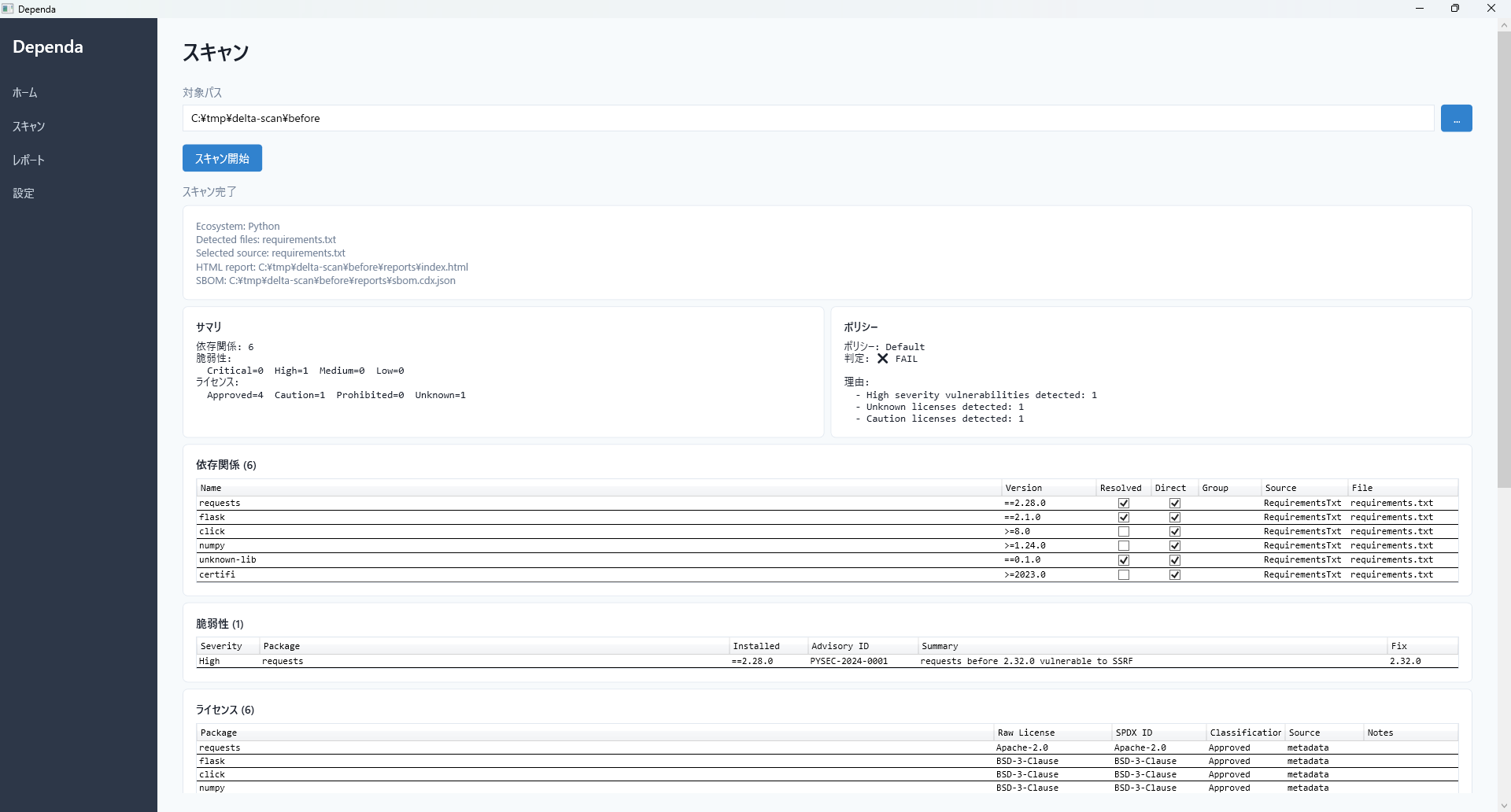
レポートと SBOM はスキャン対象プロジェクトの reports/ フォルダに出力されます。
{スキャン対象パス}/
  reports/
    dependa-report-2026-04-01.html    ← HTML レポート
    dependa-sbom-2026-04-01.json      ← CycloneDX SBOM
スキャンのたびにタイムスタンプ付きの新しいファイルが生成されます。過去のレポートも残るため、変化の比較に活用できます。
Chapter 5: Reports & SBOM
v2.0 report structure — Executive Summary, Action Required, Risk Analysis
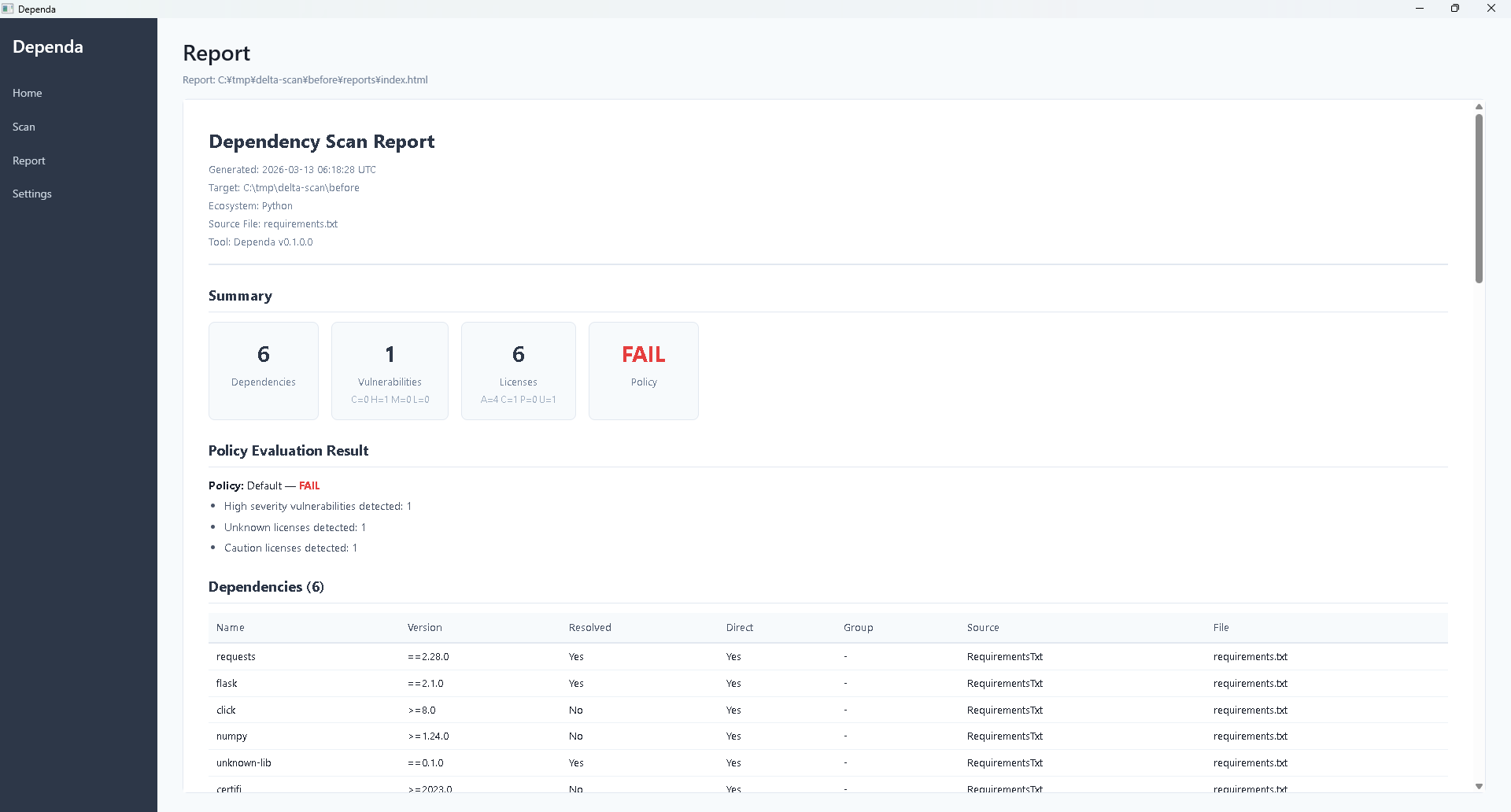
v2.0 HTML Report Structure
The HTML report generated after a scan or SBOM import is a standalone file that can be opened in any browser. In v2.0, it consists of the following sections:
| Section | Content |
|---|---|
| Header | Displays the project name, scan date/time, and Dependa version (v2.0). |
| Executive Summary | Review statistics (reviewed count, risk breakdown), dependency count, vulnerability summary, and license classification summary in card format. |
| Action Required | List of items requiring attention. Shows High Risk / Risk packages with their recommended actions. |
| Risk Analysis | Detailed risk information per package: RiskReason, RecommendedAction, Evidence, and Confidence. |
| Policy Result | Applied policy name and action count breakdown (Allowed / NeedApproval / Prohibited). |
| Dependencies Table | Lists all detected packages with name, version, ecosystem, license, and risk level. |
| Vulnerabilities Table | Lists detected vulnerabilities with ID, affected package, CVSS score, severity, and description. |
| Licenses Table | Lists each package's SPDX license ID and classification (High Risk / Risk / Known-Normal / Unknown). |
| AI Section | AI Governance analysis summary (AI BOM, Excessive Agency, Data Sovereignty). |
| Disclaimer | Legal disclaimer regarding report usage. |
Report Explainability Improvements
The SBOM review HTML report includes a 6-layer explainability structure. In v2.0.5.0, classification logic and Free / Pro boundaries are unchanged — only display and explanation are enhanced.
- Classification is not a final judgment — A note is displayed above the license table: "classifications shown here are initial inputs for review, not final judgments."
- "Review required" badge — A discreet badge is shown for licenses where decisions depend on usage context (BUSL-1.1 / Elastic-2.0 / CC-BY-4.0 etc.).
- Reason labels — A short reason such as "Reason: Not OSI-approved" or "Reason: Commercial license terms apply" is shown next to the badge.
- SPDX expression breakdown — Components of expressions like
MIT OR Apache-2.0are shown as a supporting "Breakdown" line. - Links to official pages — When a CycloneDX 1.7 SBOM provides URLs in
expressionDetails, breakdown licenses are rendered as discreet links to their official pages. - "Declared / Concluded" labels — CycloneDX 1.6+
acknowledgementvalues are surfaced to distinguish declared (by the SBOM author) from concluded (by an analysis tool).
The Pro report (generated after a folder scan) also reflects the classification disclaimer, "Review required" badge, and reason label. A guide note at the end states: "If a CycloneDX 1.7+ SBOM file is available, the SBOM review feature provides additional detail such as license breakdown, source attribution, and official links."
Saving Scan Result Reports
Clicking the "Scan Result Report" button after a folder scan now opens a Save dialog. The default file name follows the pattern {yyyyMMdd}-{project-name}-{jp or en}.html, making it easy to keep results from multiple projects organized (for example, 20260501-myproject-en.html).
Free vs Pro Report Differences
| Item | Free | Pro |
|---|---|---|
| Watermark | "Free Edition" watermark present | None |
| Executive Summary | Basic information only | Includes review statistics |
| Action Required | ✓ | ✓ |
| Risk Analysis Detail | Simplified | Full (includes Evidence / Confidence) |
Viewing Reports
- Open in browser: Simply double-click the generated HTML file to view it in your browser. No internet connection is required.
- Print: Use the browser's print function (Ctrl+P) to print on paper or convert to PDF. The report includes print-optimized styles.
- Share: Send the HTML file as-is via email or file sharing. Recipients can view it with just a browser.
SBOM Output (CycloneDX 1.5 JSON)
An SBOM (Software Bill of Materials) is a complete list of all components (dependency libraries) included in your software. It is sometimes called a "software parts list."
Dependa outputs SBOMs as CycloneDX 1.5 format JSON files.
- CycloneDX is an internationally adopted SBOM standard format.
- Useful for security audits and compliance requirements.
- Can be imported into other SBOM-compatible tools (e.g., Dependency-Track).
Output Location
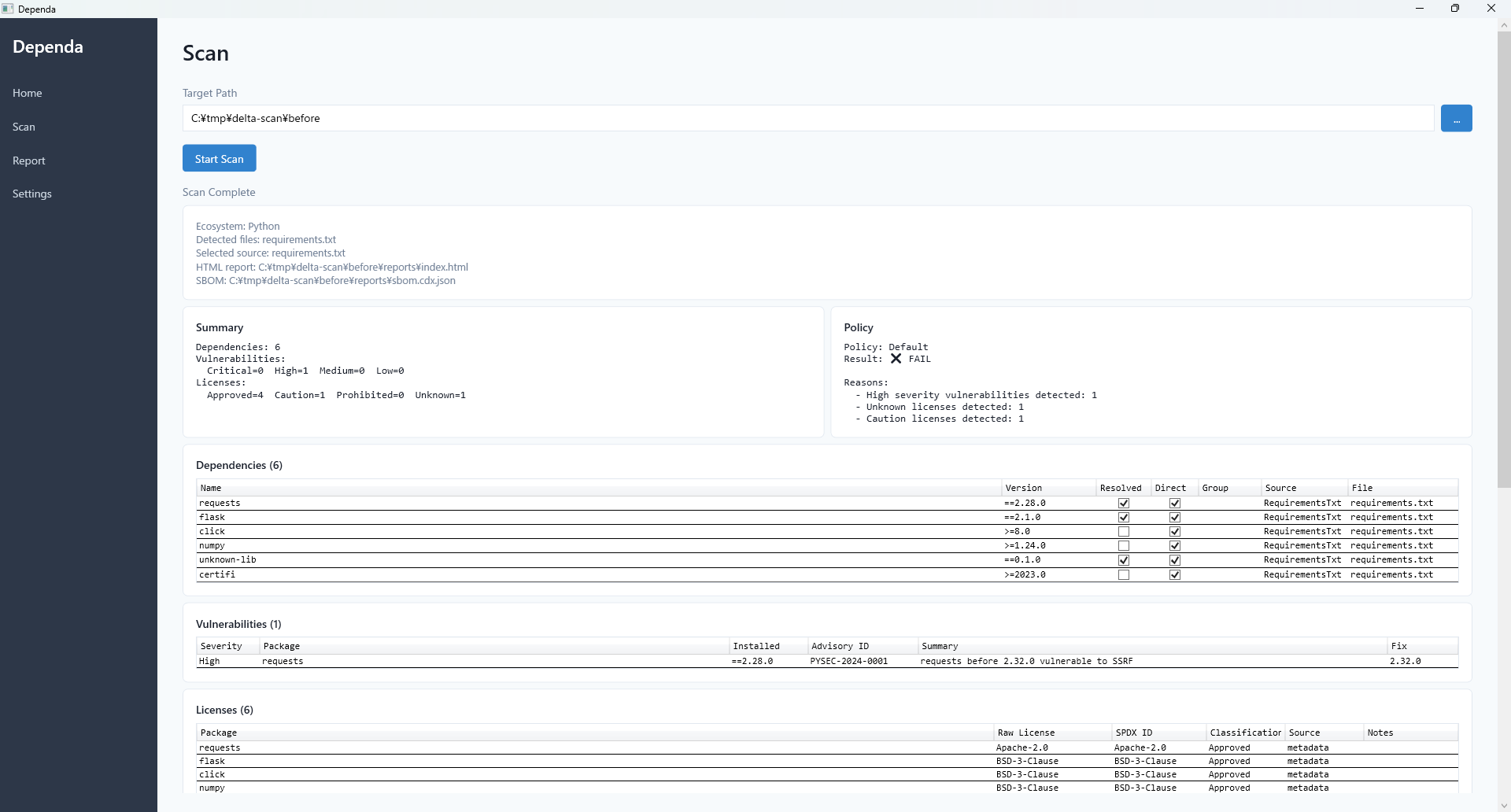
Reports and SBOM files are saved in the reports/ folder within the scanned project directory.
{Target Path}/
  reports/
    dependa-report-2026-04-01.html    ← HTML Report
    dependa-sbom-2026-04-01.json      ← CycloneDX SBOM
Each scan generates new timestamped files. Previous reports are preserved, making it easy to compare changes over time.